Coding
How APK Files Are Built and Signed: A Beginner’s Guide
Every Android app you install arrives as an APK — but most people never see what’s inside one or how it’s made. Understanding the build is genuinely useful: it’s what lets you tell a legitimate app from a tampered one, and it’s the first thing to grasp if you ever want to build your own. Here’s the whole process in plain language, from source code to the signed file on your phone.
What an APK actually is
An APK (Android Package) is really just a ZIP file with a specific structure. Rename one to .zip, open it, and you’ll find the parts that make up an app:
- AndroidManifest.xml — the app’s identity card: its name, version, the Android versions it supports, and every permission it requests.
- classes.dex — the app’s compiled code, converted into a format Android’s runtime can execute.
- resources and assets — images, layouts, text, and everything the app displays.
- lib/ — any native code compiled for specific processor types.
- META-INF/ — the signing information that proves who built the file. This part matters more than it looks.
APK vs. AAB: what changed
If you publish on the Play Store today, you don’t upload an APK — you upload an Android App Bundle (AAB). The bundle contains everything needed to build APKs, and Google generates a custom, smaller APK tailored to each user’s device. The APK is still what lands on the phone; the AAB is just the modern packaging developers hand to Google. For sideloading and inspection, you’re still dealing with APKs.
The build pipeline, step by step
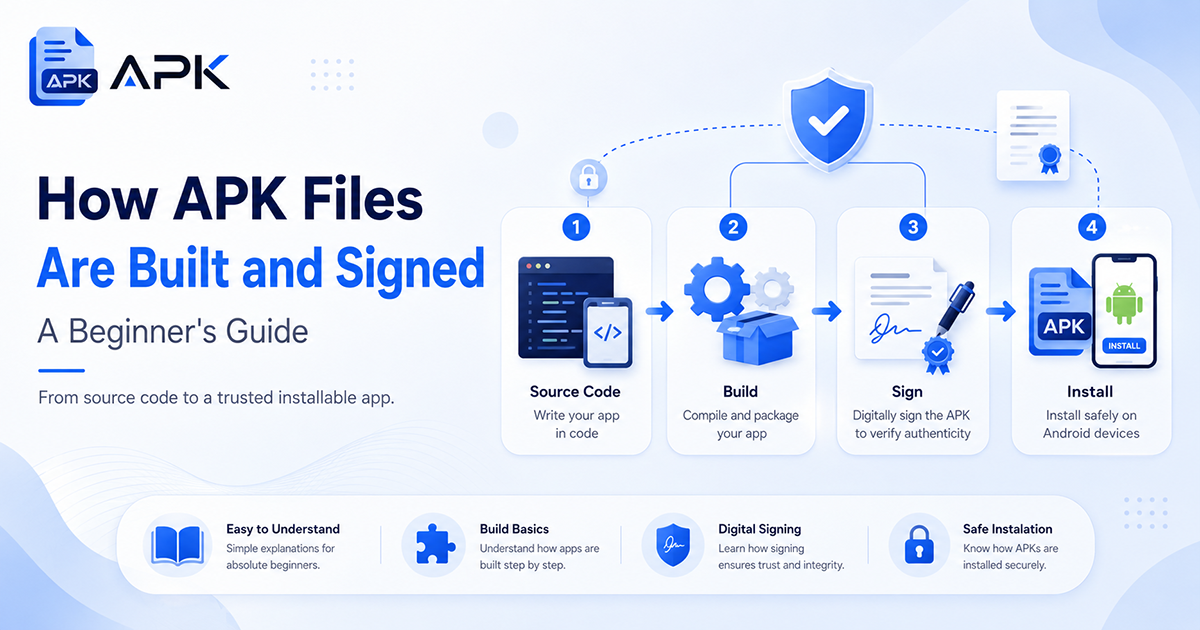
Turning source code into an installable app runs through a predictable sequence:
- Compile. Your Kotlin or Java source is compiled, then converted into the DEX bytecode Android runs.
- Package. The compiled code, resources, and manifest are bundled together into a single archive.
- Align. The file is optimized (zipaligned) so Android can load it efficiently.
- Sign. The package is cryptographically signed — the step that turns a raw build into a file a phone will trust.
Modern Android tooling (Gradle and the Android build tools) automates all of this. When you tap “build” in Android Studio, this is what’s happening under the hood.
Code signing: the part that protects you
Signing is where the build meets safety. Every APK must be signed with a developer’s private key, stored in a file called a keystore. The signature does two things: it proves the file came from that developer, and it guarantees the file hasn’t been altered since they signed it. Change a single byte of a signed APK and the signature no longer matches.
That’s why a cracked or “modded” app can never look legitimate to a careful check: modifying the app breaks the original signature, and whoever repackaged it had to re-sign it with their key, not the real developer’s. Android also enforces this on updates — an update has to be signed with the same key as the installed app, which is part of why a sideloaded mod can’t update over the official version. The signature is the thread that ties an app to a single, identifiable author, and it’s the first thing we verify in every safety check we run.
Play App Signing
When you ship through the Play Store, Google offers Play App Signing: you keep an upload key, and Google holds the final signing key in a secure vault and signs each generated APK itself. It protects developers from losing their key and lets Google deliver those optimized, per-device APKs. The principle is the same — every file users receive is signed and verifiable.
How to inspect an APK yourself
You don’t need to be a developer to look inside a file. Android Studio ships with APK Analyzer, which opens any APK and shows its manifest, permissions, size breakdown, and signing certificate. Command-line tools like apksigner verify confirm a file’s signature, and aapt dumps its manifest. These are the same kinds of checks that separate a genuine app from a repackaged one — and a good habit if you ever sideload. Our sideloading guide covers the everyday version of this.
Understanding how an app is built is the foundation; if you ever move from building one to selling it, its market value matters just as much. You can get a free, instant app and SaaS valuation at AppStock, based on real comparable sales.
FAQ
Can I open an APK on my computer?
Yes. An APK is a ZIP archive, so you can rename it and open it with any archive tool to see its structure — though the compiled code won’t be human-readable.
What’s the difference between an APK and an AAB?
An AAB is what developers upload to Google Play; Google uses it to generate optimized APKs for each device. The APK is the file that actually installs on a phone.
Why does every app need to be signed?
Signing proves who built the app and guarantees it hasn’t been tampered with. Android won’t install an unsigned app, and it requires updates to be signed with the same key.
Do I need to sign an APK to test my own app?
Yes, but the tools handle it automatically with a debug key during development. You only create your own release keystore when you’re ready to publish.